Roivenue 3 is here, and you’ll see the difference the moment you log in. The whole app has a new design, and behind it are new ways to work with your data: answers to your questions in plain language, tables you build yourself right in Roivenue, customer lifetime value right next to your attribution, and a Budget Optimizer tailored to how your business plans.
Here’s what’s waiting for you when you log in:
- A redesigned app: a cleaner, more consistent interface that loads faster and is easier to find your way around. You can now pick your currency right on the page, from a single dropdown.
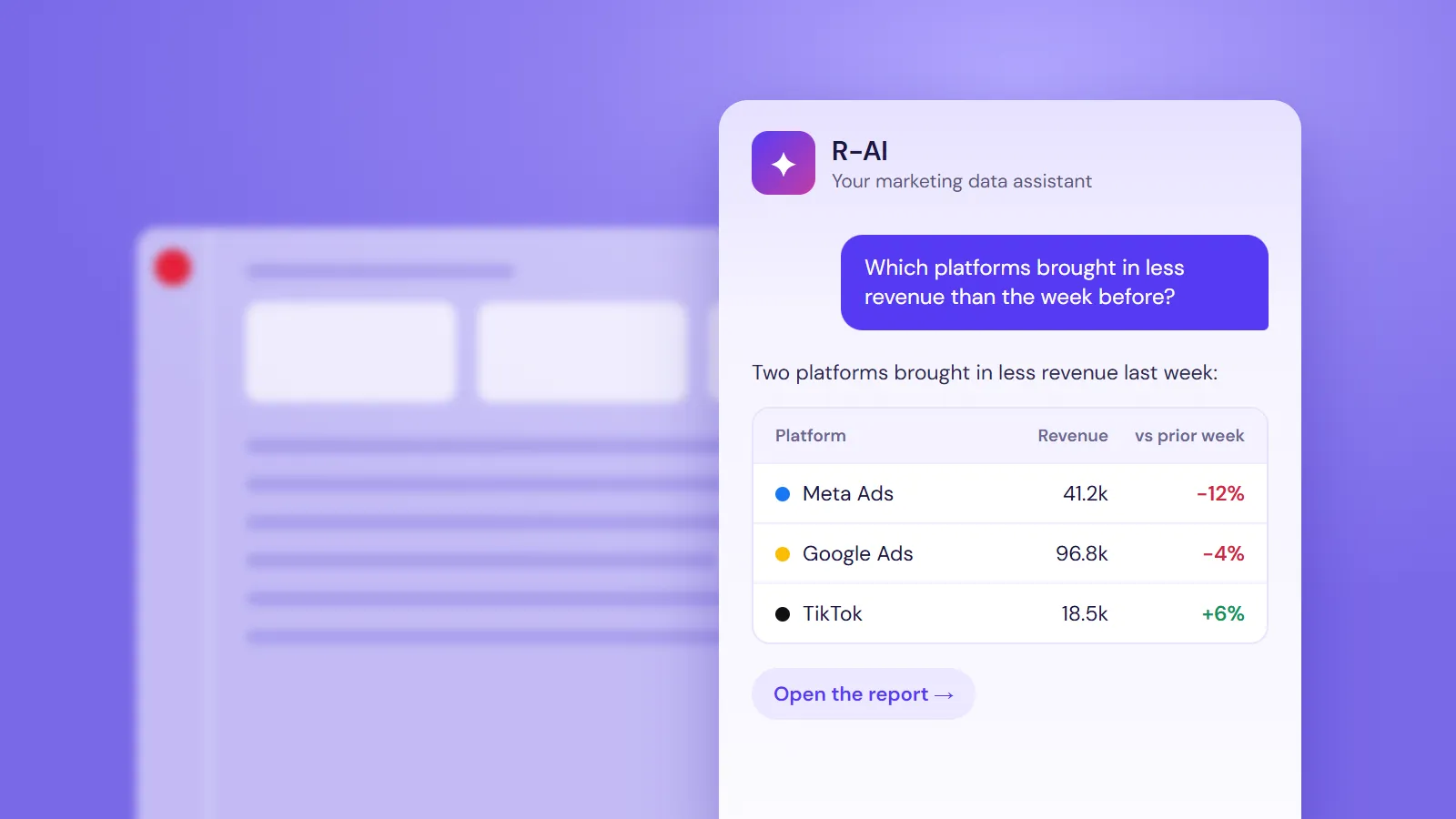
- R-AI assistant: ask a question in your own words, like “How did Meta do last week?”, and get the answer in seconds. It’s the quickest way to check a number without opening a single report.
- Roivenue in Claude and ChatGPT: bring your marketing data into the AI tool you already use and analyze it alongside the rest of your business. Your plans, targets, and attribution numbers sit side by side in one conversation.
- Budget Optimizer: budget recommendations tailored to your business, from the goal you care about to the spending limits you work within. Every recommendation shows how confident it is, so you know what to act on.
- Custom Tables: build the exact table or pivot you need, right in Roivenue. The view you’d otherwise put together in Excel, Looker Studio, or Power BI is now a few clicks away.
- Cohorts with customer lifetime value: use your order data to see what customers are worth over their whole lifetime, not just on their first purchase. Compare that value across channels, campaigns, or any other dimension.
A Redesigned Roivenue: Cleaner, Faster and Easier to Use
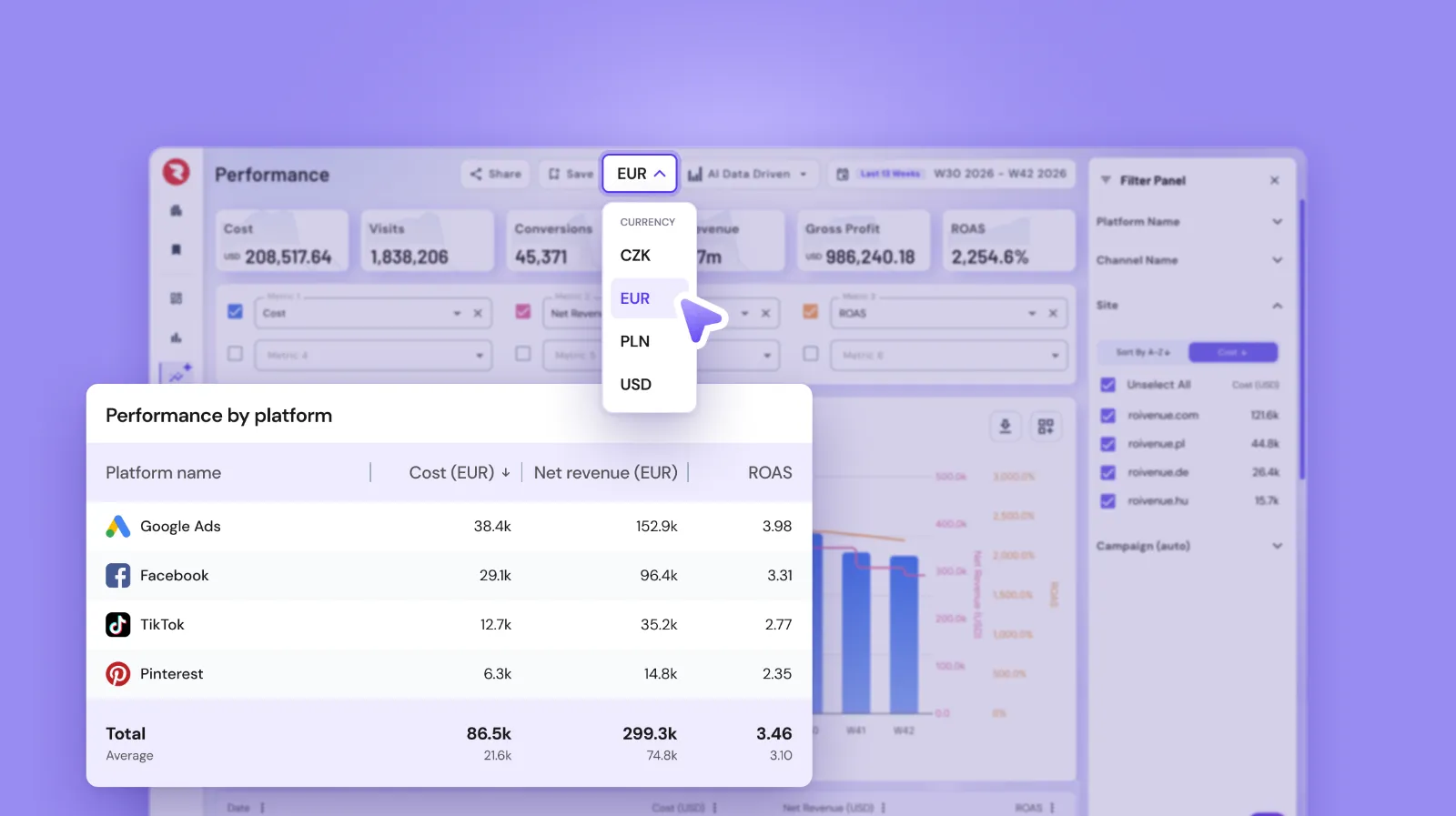
We’ve redesigned the whole app, from the menu to the tables. Every page now follows the same clear layout, so once you know one, you know them all. Loading is faster too, so you spend less time waiting and more time with your numbers.
Our Customer Success team’s top pick is the new way you work with currency, and it’s a big help if your markets use different currencies. The page header now shows exactly which currency you’re looking at. Want to see the numbers in another currency? Switch it right there from a single dropdown, without a trip to the settings. Tables are easier to read too, because the currency no longer repeats in every cell.
There’s plenty more worth exploring, too. Platform logos now appear across your report tables, and you choose which dimensions show them. Tables can be sorted and filtered, the filter panel opens from a single button in the page header, and KPI tiles and charts have a fresh look that’s easier to read at a glance.
Quick Answers From R-AI

Got questions about your data? R-AI, the AI assistant built into Roivenue, has the answers. Click the R button in the bottom-right corner, ask in your own words, and you get the answer from your live data, with a link to the report behind it.
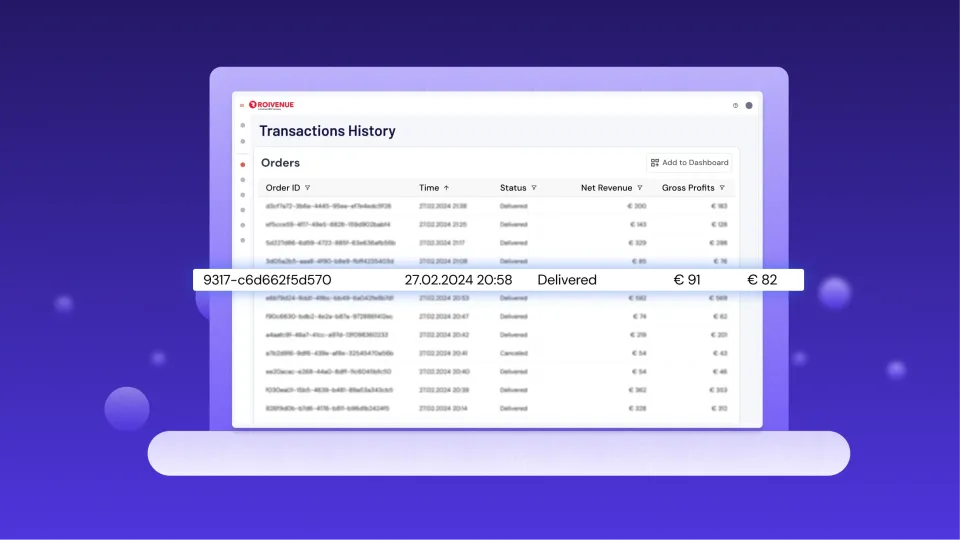
So when your manager asks on Monday morning why revenue dipped last week, you don’t have to open three reports and compare date ranges. Ask R-AI which platforms brought in less than the week before, and you’ll have your answer before your coffee gets cold. It can just as easily walk you through the customer journeys behind your sales, take you straight to a single order in Transactions History, or explain how a metric is calculated.
Deeper Analysis in Claude and ChatGPT
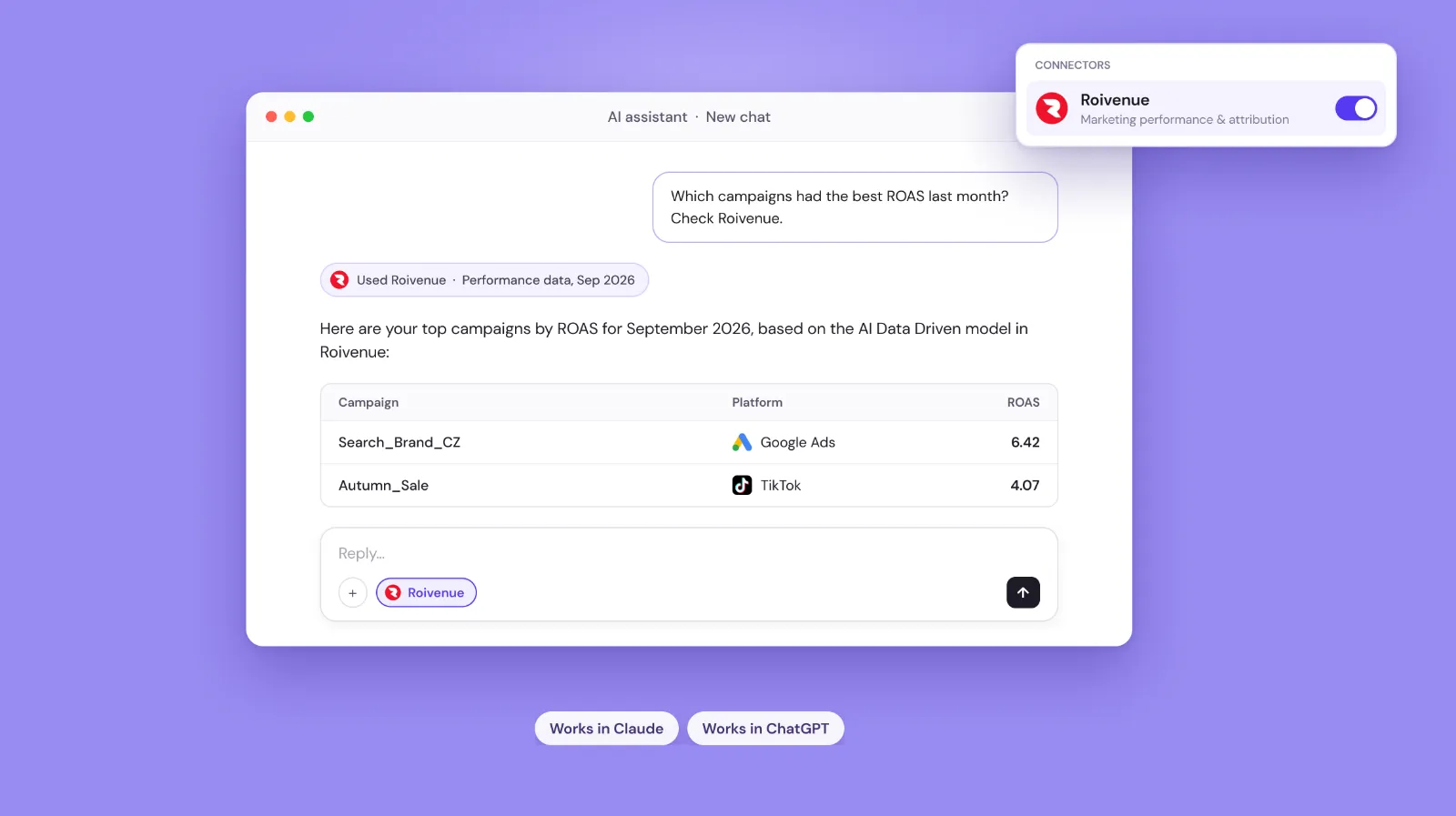
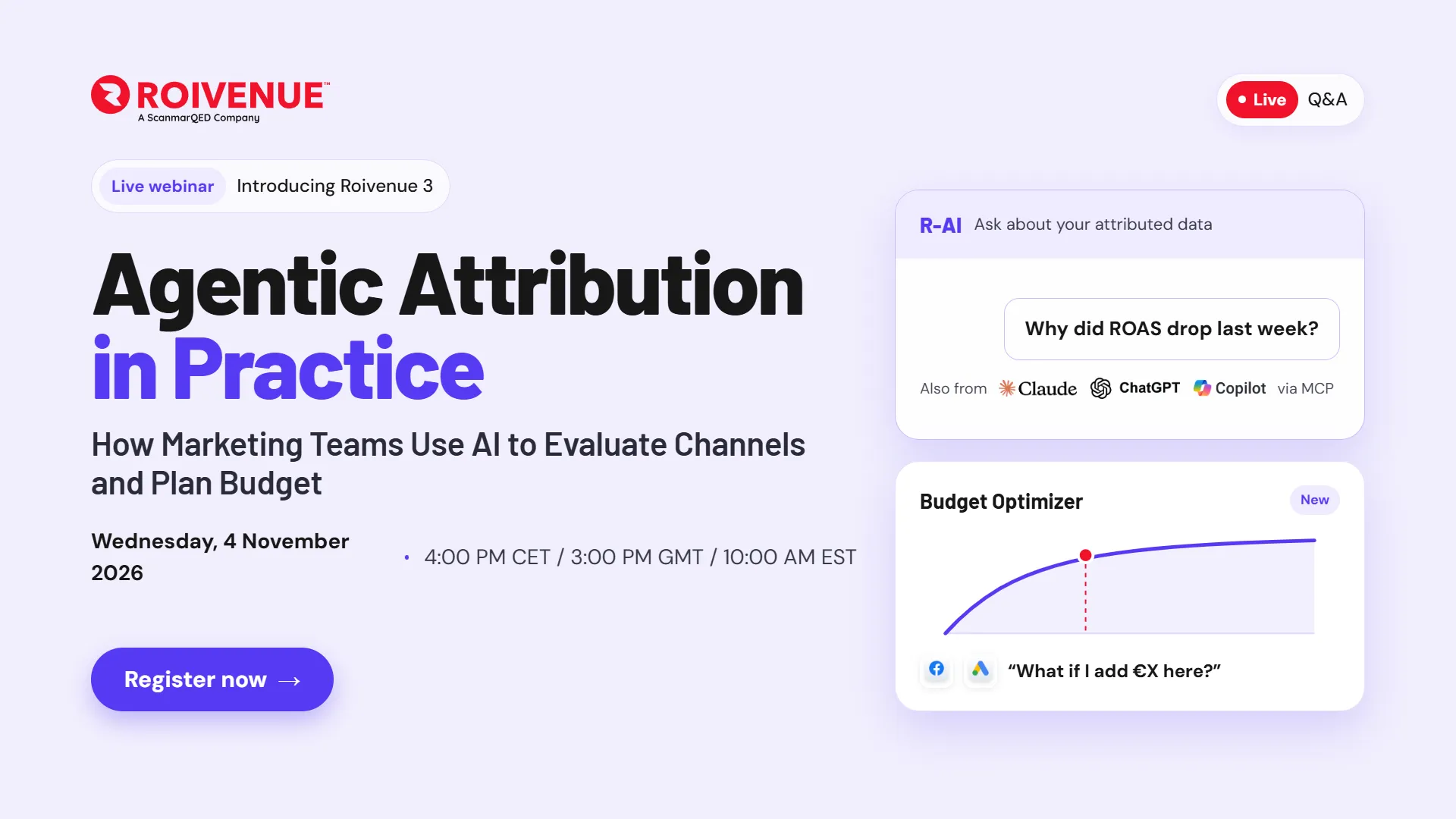
R-AI is perfect for quick answers. When you want to go deeper, connect Roivenue to Claude or ChatGPT. Your marketing data then sits right next to everything else you know about your business, from sales targets and stock levels to last year’s results, and you can analyze it all together.
That’s where it gets even more interesting. Ask Claude whether this quarter’s marketing spend is on track to hit your sales target, and it answers using your Roivenue numbers and your business plan at the same time. Neither of them could give you that answer on its own.
Connecting takes a few clicks and no greater technical skills. You sign in with your Roivenue login, and the connector only sees what you already have access to. Microsoft Copilot is coming soon.
A Budget Optimizer Tailored to Your Business
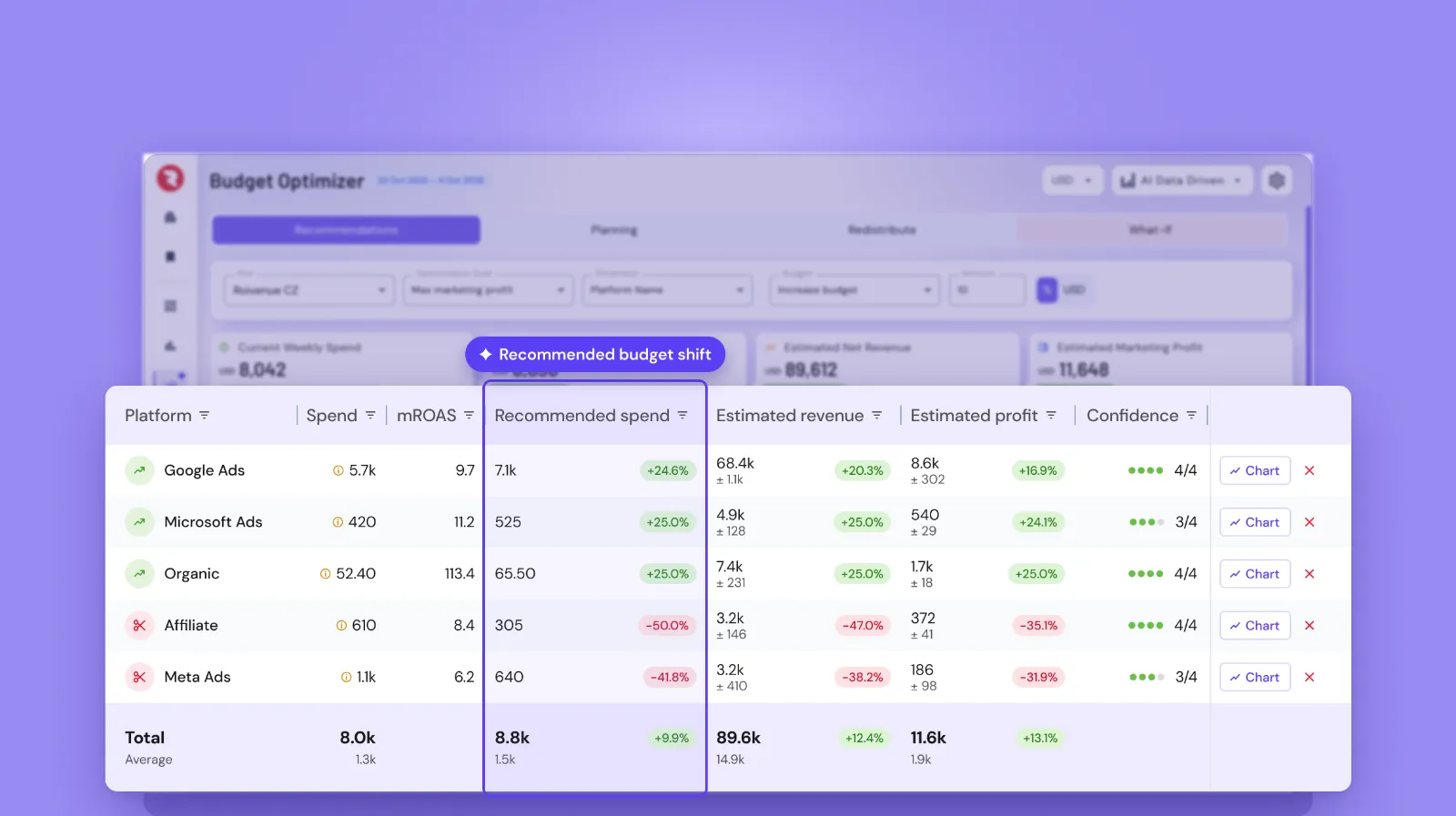
Every budget conversation starts with a different question. Can we spend more? Where do we cut? What happens if we move money from one place to another? The Budget Optimizer now lets you model each of these scenarios. Choose what to include and how much to add, remove, or shift, and it shows you the best way to split it.
You also set it up around your business: the goal that matters to you, whether that’s profit, revenue or conversions, the spending limits you work within, the period it learns from, and the weeks that don’t reflect normal business. Every recommendation comes with a confidence range, so you can tell the safe bets from the moves worth testing first. And it all runs on the same attribution data you already use to compare platforms, campaigns and creatives.
Custom Tables: Build the Reports You’ve Been Missing
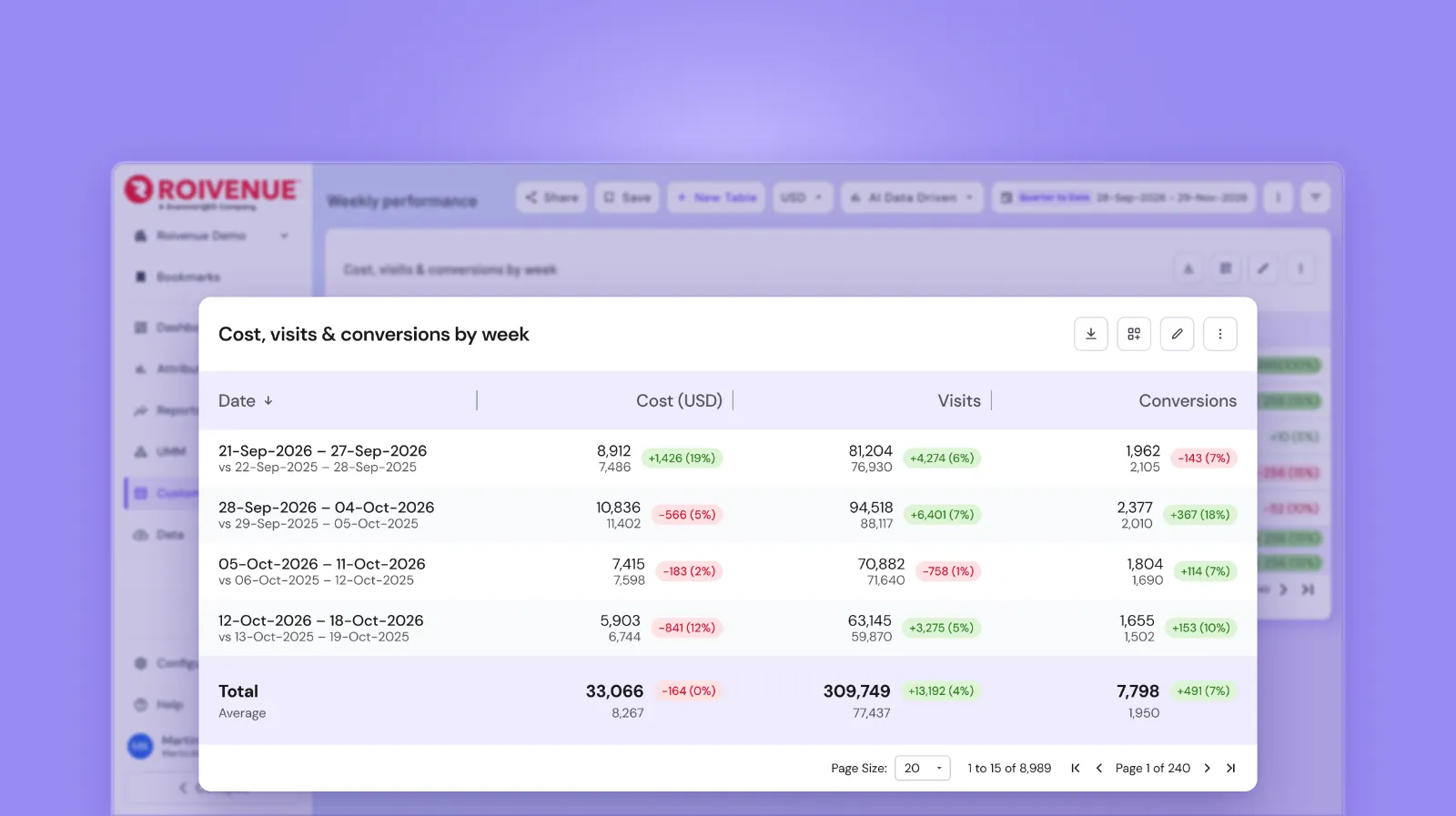
Every business looks at its data a little differently, and sometimes you need a view of your own. Until now, that meant exporting the data to build it in Excel, Looker Studio, or Power BI. With Custom Tables, you build it right in Roivenue: pick the dimensions and metrics you care about, compare any two periods, and share the result with your team or pin it to your dashboard. No exports and no copy-pasting, just your own view of your data, right in Roivenue.
Cohorts: Customer Lifetime Value, Right in Roivenue
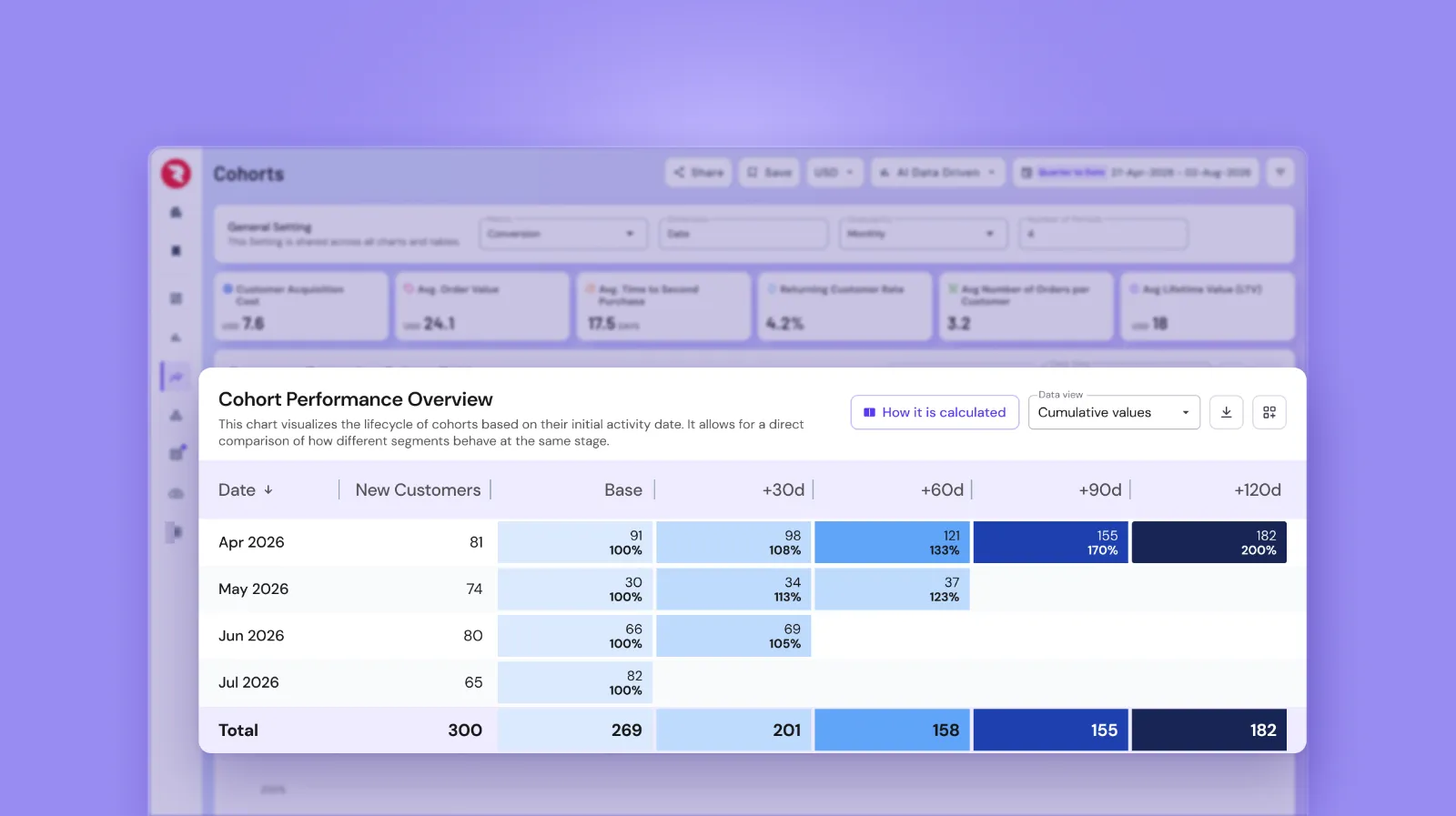
A customer who buys once and never comes back is worth far less than one who keeps ordering for years. That’s why the first purchase only tells part of the story. Cohorts tell you the rest. It puts your order data to full use inside Roivenue and shows you customer lifetime value (CLV): how often customers come back, how soon, and how much they spend over time.
Compare CLV across channels, campaigns, or any other dimension, and you’ll see where your most valuable customers really come from. That’s where your budget pays off in the long run.
And because every customer is credited across the touchpoints that brought them in, the numbers match the rest of your Roivenue reporting. Cohorts run on your transaction feed, so if yours isn’t connected yet, here’s how to set it up.
Where to Start
Roivenue 3 is already in your account. Log in, look around the new design, and ask R-AI your first question. If you’d like a walkthrough for your team, ask your account manager.
45 minutes on relevant demo data, with a summary for Finance.